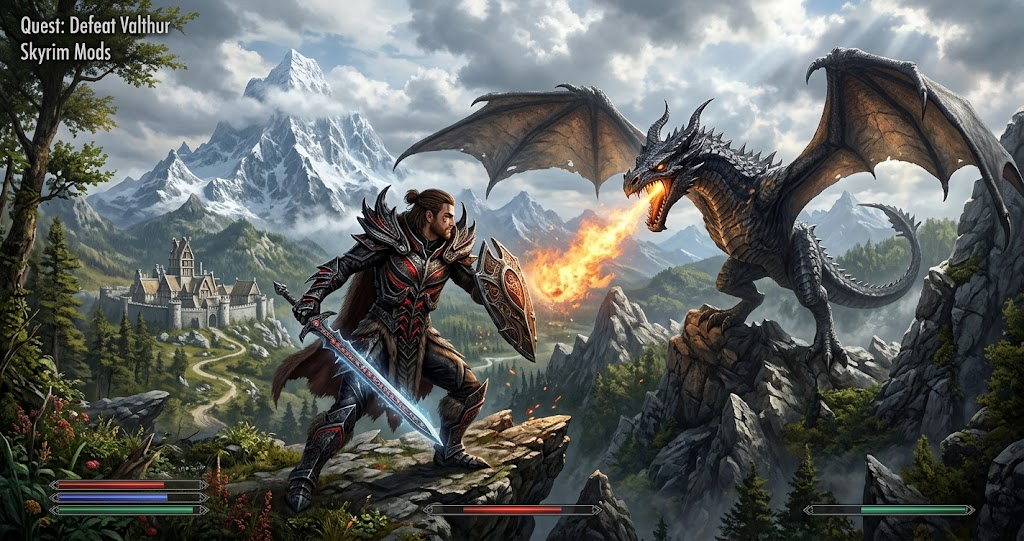
The world of Skyrim offers hundreds of hours of exploration, but the right modifications can make every adventure feel completely different. Whether you want breathtaking environments, challenging enemies, better combat, or entirely new quests, Skyrim mods provide countless ways to customize your experience.
From simple quality-of-life improvements to complete gameplay overhauls, this guide explores popular modifications, essential tools, and practical installation advice to help you build your ideal version of Skyrim.
What Are Skyrim Mods and Why Are They Popular

Skyrim mods are community-created modifications that change or expand different parts of The Elder Scrolls V Skyrim. They allow players to improve existing features, introduce new content, and customize the experience beyond the original game’s design.
For example, graphics modifications can improve textures, lighting, weather, and environmental details. Meanwhile, gameplay modifications can introduce new abilities, weapons, enemies, and character progression systems.
The modding community has supported Skyrim for years. Consequently, players can choose between small improvements and extensive projects that make the game feel almost entirely new.
Another reason these modifications remain popular is their flexibility. You can build a lightweight setup for smoother performance or create a visually impressive adventure with extensive changes.
Best Skyrim Mods to Improve Your Experience
Choosing the right modifications depends on what you want from your next playthrough. Some players prioritize visual improvements, while others prefer deeper role-playing systems and more challenging encounters.
Here are several well-known options worth exploring.
SkyUI for a Better User Interface
<AsyncImage query=”Skyrim Special Edition SkyUI inventory interface screenshot” aspectRatio=”16:9″ width=”100%” />
SkyUI replaces much of Skyrim’s original inventory interface with a more organized design. It makes managing weapons, armor, potions, and other items considerably easier.
The interface also includes improved sorting and filtering options. Furthermore, SkyUI provides a Mod Configuration Menu, which many other modifications use to offer customizable settings.
However, PC players should check its requirements before installation because SkyUI depends on the Skyrim Script Extender.
Unofficial Skyrim Special Edition Patch
The Unofficial Skyrim Special Edition Patch (USSEP) addresses numerous bugs and inconsistencies found in the base game and its official content.
It is particularly useful for players who want a more polished experience without changing the fundamental gameplay.
However, compatibility matters. Some modifications require particular versions of the patch, while others may conflict with its changes. Always review the installation requirements before adding it to an existing setup.
Ordinator for Expanded Character Builds
Ordinator – Perks of Skyrim completely reworks the perk system, providing more interesting ways to develop your character.
Instead of following familiar progression paths, players can experiment with different abilities and specialized builds.
For example, stealth characters can explore additional sneaking options, while warriors gain new ways to specialize in physical combat. As a result, character development becomes more flexible and rewarding.
Apocalypse for New Spells
Apocalypse – Magic of Skyrim expands the available spell selection with additional magical abilities.
It offers more variety for players who enjoy experimenting with different schools of magic. Moreover, its additional spells can encourage creative approaches to difficult encounters.
Players who prefer magical characters can combine this modification with suitable perk overhauls, provided the required compatibility patches are installed.
Alternate Start – Live Another Life
Alternate Start – Live Another Life offers a different beginning instead of following Skyrim’s traditional Helgen introduction.
You can choose alternative starting circumstances and enter the world with a different background.
This makes repeated playthroughs more interesting because you do not have to experience the same opening sequence every time. It is particularly appealing to role-playing fans who enjoy creating unique characters.
Different Types of Skyrim Mods Compared
Not every modification serves the same purpose. Understanding the main categories makes it easier to select additions that complement your preferred playstyle.
The following table compares common mod categories and what they bring to the experience.
| Mod Category | Main Purpose | Gameplay Benefit | Best For |
|---|---|---|---|
| Graphics | Better textures and lighting | Improved visuals | Visual explorers |
| Combat | New mechanics and animations | More challenging battles | Action fans |
| Quests | Additional missions and stories | More exploration | Story lovers |
| Magic | Expanded spell selection | More character options | Mage builds |
| Interface | Improved menus and controls | Easier navigation | All players |
| Immersion | Enhanced world interactions | More realistic adventures | Role-playing fans |
Each category offers a different advantage. Therefore, combining compatible modifications from several categories can create a balanced experience without changing everything at once.
How to Install Skyrim Mods on PC
Installing modifications is relatively straightforward when you use a reliable mod manager. However, preparation is important because incompatible files and incorrect game versions can cause crashes or unexpected behavior.
Choose a Reliable Mod Manager
Vortex and Mod Organizer 2 are two popular choices for managing Skyrim modifications.
Vortex offers an approachable interface and convenient integration with Nexus Mods. It also provides automated plugin sorting and separate mod profiles.
Mod Organizer 2 provides more detailed control over individual installations and file conflicts. Consequently, experienced players often prefer it when building larger mod collections.
Choose one manager and learn its basic features before installing numerous modifications.
Check Your Skyrim Version
Before downloading anything, identify whether you are running Skyrim Special Edition, Anniversary Edition, or the original Legendary Edition.
This distinction matters because some modifications depend on specific game versions or additional software.
For example, Skyrim Script Extender (SKSE) supports different builds depending on the installed game version. Installing an incompatible build can prevent dependent modifications from working.
Always read the compatibility information on the original download page.
Install Dependencies and Required Files
Some modifications work independently, while others require frameworks, libraries, or additional plugins.
SkyUI, for example, requires SKSE. Similarly, certain advanced gameplay modifications depend on additional scripting frameworks.
Read the installation instructions carefully and install required dependencies before activating the main modification.
Sort Your Load Order
Load order determines how Skyrim processes certain modifications and resolves conflicts between plugins.
Tools such as LOOT help organize plugins according to established sorting rules. Nevertheless, automatic sorting cannot resolve every compatibility problem.
For larger setups, check the recommended load order and compatibility patches provided by individual mod authors.
Tips for Building a Stable Skyrim Mod List
A large collection does not automatically produce a better experience. In fact, installing too many modifications without checking compatibility can create performance problems and unexpected crashes.
Start with a small selection that matches your preferred gameplay style. Once everything works correctly, introduce additional content gradually.
It is also important to back up your saves and configuration files. Some modifications make substantial changes to quests, characters, and world systems. Removing them during an active playthrough can damage existing saves.
Additionally, pay attention to performance requirements. High-resolution textures, complex lighting, and extensive environmental improvements can increase GPU and memory demands.
For this reason, players with older hardware should prioritize lightweight improvements rather than installing every visual enhancement they find.
Finally, download files from trusted sources and check recent user reports. This helps you identify abandoned projects, known compatibility issues, and outdated requirements before installation.
Where to Find Safe Skyrim Mods
Nexus Mods is one of the most established destinations for Skyrim modifications. It provides download pages, installation instructions, compatibility information, and community discussions.
The platform also supports popular mod managers, making it easier to download and organize compatible files.
PC players can also explore Bethesda’s official Creations platform for supported content. Console players should check the available in-game Creations catalog because their options and installation restrictions differ from PC modding.
Regardless of the platform, review the description and requirements before downloading anything. Also, avoid installing files from suspicious websites or unknown sources.
Conclusion
Skyrim mods provide an excellent way to refresh an already memorable RPG. Whether you prefer improved graphics, expanded magic, challenging combat, or alternative character beginnings, the community offers plenty of opportunities to create a personalized adventure.
Start with a few trusted modifications, check their compatibility, and gradually expand your collection. With the right tools and a carefully managed setup, you can transform Skyrim into an experience that feels entirely your own
FAQs
Are Skyrim mods free to download?
Many Skyrim modifications are available for free through community platforms such as Nexus Mods. However, some creators offer optional paid content or participate in Bethesda’s paid Creations program. Always check the individual download page to understand its access requirements.
Which Skyrim mods should beginners install first?
Beginners can start with quality-of-life improvements such as SkyUI and carefully selected bug fixes. These additions improve the experience without requiring a complete gameplay overhaul. However, check dependencies and compatibility before installing them.
Can you install Skyrim mods on Xbox and PlayStation?
Yes, both Xbox and PlayStation support selected Skyrim modifications through Bethesda’s in-game Creations system. However, console restrictions differ from PC, and PlayStation has additional limitations on external assets. Therefore, not every PC modification is available on consoles.
Do Skyrim mods work with Anniversary Edition?
Many modifications support Anniversary Edition, but compatibility depends on the individual project and installed game version. Some require updated SKSE builds or additional dependencies. Always check the mod author’s compatibility notes before downloading files.
Can Skyrim mods break saved games?
Yes, incompatible modifications or removing important files during an active playthrough can cause crashes, missing content, or corrupted saves. Creating backups before making significant changes is strongly recommended. Testing new additions on a separate save also reduces unnecessary risks..
For more updates visit: PUBLIC TALK