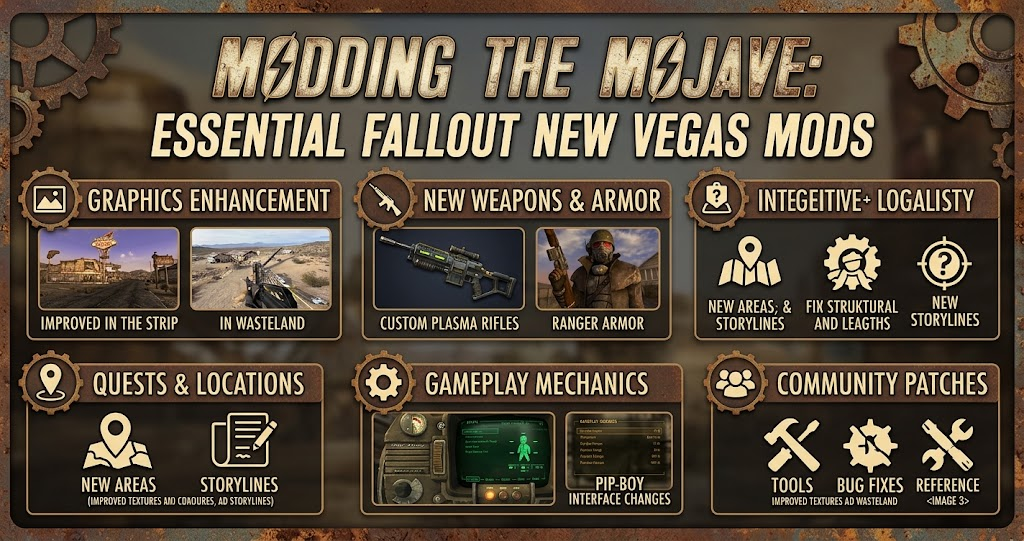
Fallout: New Vegas remains one of the most memorable open-world RPGs, thanks to its memorable characters, player choices, and dangerous Mojave wasteland. However, its aging visuals, technical issues, and dated mechanics can make returning to the game challenging. Fortunately, Fallout New Vegas mods allow players to improve almost every part of the experience.
Whether you want sharper graphics, smoother performance, better combat, or completely new adventures, the modding community offers plenty of options. This guide explores the most useful modifications, explains how to install them, and helps you build a stable setup without unnecessary complications.
Why Fallout New Vegas Mods Are Worth Installing
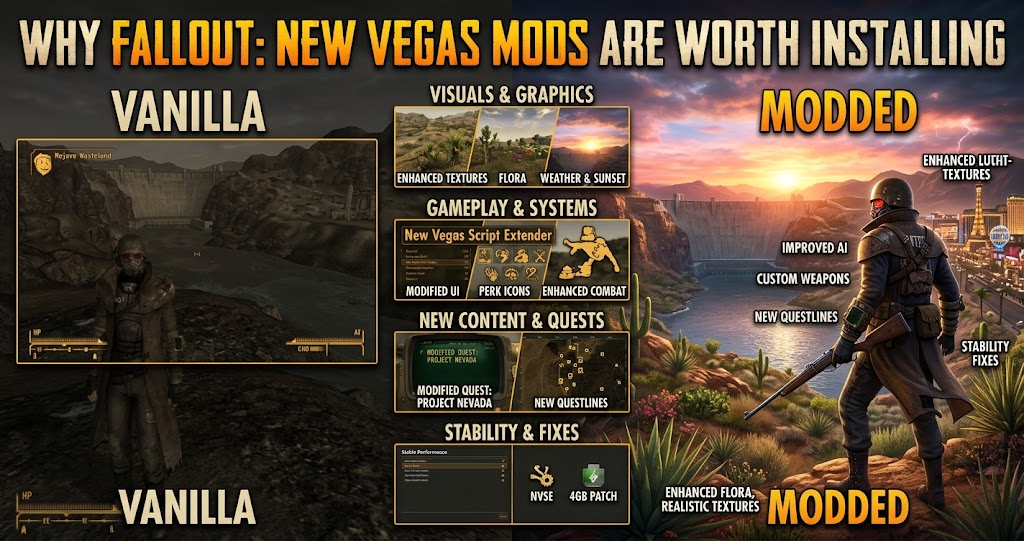
The original game offers excellent storytelling and role-playing freedom. Nevertheless, its PC version has technical limitations that become more noticeable on modern computers. Random crashes, inconsistent performance, outdated textures, and occasional gameplay bugs can interrupt an otherwise enjoyable adventure.
Fallout New Vegas mods address many of these problems. Some focus on repairing existing issues, while others introduce visual improvements, additional features, and expanded gameplay systems.
Another advantage is customization. You can preserve the original experience with a few essential fixes or transform the Mojave into something considerably different. Therefore, modding works for both newcomers and experienced players.
Best Fallout New Vegas Mods to Improve Your Game
Choosing the right modifications depends on what you want from your adventure. However, starting with stability improvements before installing major visual or gameplay changes is generally the safest approach.
Yukichigai Unofficial Patch YUP
Yukichigai Unofficial Patch, commonly known as YUP, is an excellent starting point for a more reliable playthrough. It addresses numerous bugs across the original game and its downloadable content without attempting to redesign the experience.
For example, it corrects various quest, character, item, and scripting problems. As a result, players can enjoy a cleaner experience while keeping the original balance and design intact.
YUP is particularly useful for players who want improvements without introducing substantial gameplay changes. Its focused approach makes it a valuable foundation for a larger mod collection. mods and community+1
New Vegas Tick Fix (NVTF)
Performance problems can make exploration and combat frustrating, especially when the game struggles with inconsistent frame pacing. New Vegas Tick Fix addresses important engine-related problems and helps improve the overall experience on modern systems.
It also addresses issues associated with running the game above its original frame-rate limitations. However, players should follow the recommended configuration rather than assuming every setting works equally well on every computer.
NVTF is particularly important for players building a modern PC setup. It also serves as a better choice than relying on outdated performance modifications that newer guides recommend avoiding.
NMC’s Texture Pack
If the original graphics feel too dated, NMC’s Texture Pack offers a noticeable visual improvement. It replaces numerous environmental textures, including roads, buildings, landscapes, and interior surfaces.
Consequently, familiar locations across the Mojave can look considerably sharper without replacing the game’s entire visual identity. The modification is especially appealing to returning players who want a refreshed experience.
However, texture packs can require additional video memory and storage space. Choose an appropriate version for your hardware instead of automatically installing the largest available package.
StewieAl’s Tweaks and Engine Fixes
This modification combines engine fixes with a wide selection of customizable gameplay adjustments. It allows players to change several small mechanics without installing separate modifications for every improvement.
For example, available options include inventory searching, manual reloading, smoother aiming, and additional interface controls. You can also adjust individual settings to suit your preferred playstyle.
The biggest advantage is flexibility. Rather than forcing everyone into the same configuration, the mod lets players choose which improvements they actually want.
Mod Configuration Menu
Managing multiple modifications becomes difficult when every installation requires separate configuration files. The Mod Configuration Menu makes this process more convenient by providing an in-game interface for supported mods.
Instead of repeatedly searching through folders, you can adjust available settings directly from the game. This becomes particularly helpful when experimenting with different gameplay systems or visual options.
However, remember that not every modification supports MCM. Its usefulness depends on the other mods installed in your load order.
Weapon Mods Expanded
Weapon customization is an important part of surviving the Mojave. Weapon Mods Expanded adds more flexibility to the existing weapon modification system, giving players additional ways to personalize their equipment.
It expands customization options for compatible weapons and changes how certain weapon upgrades work. Therefore, players who enjoy experimenting with different combat builds may find it particularly interesting.
Before installing WMX, check its compatibility with other weapon-related modifications. Several popular weapon overhauls modify similar records, which can create conflicts.
JSawyer Ultimate Edition
Players looking for a more demanding adventure should consider JSawyer Ultimate Edition. This modification builds on the original game’s balance and introduces a more challenging approach to progression and survival.
It changes aspects of character progression, equipment, and gameplay balance. Consequently, resource management and preparation become more important during longer journeys.
However, this is not essential for everyone. New players may prefer experiencing the original difficulty before introducing substantial balance changes.
Comparing the Best New Vegas Mods
Different modifications serve different purposes. The following comparison helps you identify which options match your priorities.
| Mod Name | Main Purpose | Best For | Modification Type |
|---|---|---|---|
| YUP | Bug corrections | Stable gameplay | Essential |
| New Vegas Tick Fix | Performance | Smoother gameplay | Essential |
| NMC’s Texture Pack | Environmental visuals | Better graphics | Optional |
| Stewie’s Tweaks | Custom settings | Quality of life | Optional |
| Mod Configuration Menu | Mod management | Easy configuration | Utility |
| WMX | Weapon customization | Combat variety | Gameplay |
| JSawyer Ultimate | Balance changes | Challenging runs | Overhaul |
The main takeaway is that you do not need every modification to improve your experience. Start with essential fixes, then choose optional additions according to your hardware and preferred playstyle.
How to Install Fallout New Vegas Mods on PC
Installing modifications is relatively straightforward once you understand the basic tools. However, following a reliable installation process can prevent compatibility problems and unnecessary troubleshooting.
Use Mod Organizer 2
Mod Organizer 2 is a popular choice for managing larger mod collections. It keeps many installed modifications separated from the original game files, making it easier to enable, disable, and organize individual additions.
This approach also helps when troubleshooting conflicts. You can test different combinations without repeatedly modifying the original installation.
Install Essential Requirements
Some modifications require additional tools before they can function correctly. For example, xNVSE extends the game’s scripting capabilities and provides functionality required by numerous modern modifications.
Other projects may depend on supporting plugins or frameworks. Always read the installation instructions and check the requirements listed on the relevant download page.
Follow a Trusted Modding Guide
One particularly useful resource is Viva New Vegas, a regularly maintained modding guide that explains how to build a stable foundation before adding optional content.
Its modular structure separates essential improvements from more subjective gameplay and visual changes. This makes it easier to create a setup that matches your preferences.
You can follow its manual installation instructions or explore its supported Wabbajack installation option. However, read the complete instructions carefully before proceeding.
Common Modding Mistakes to Avoid
Installing too many modifications simultaneously is one of the easiest ways to create problems. When several plugins change the same game records, they can conflict or produce unexpected behavior.
Another common mistake is using outdated recommendations. Some older performance modifications have been replaced by better-maintained alternatives. For instance, the Viva New Vegas safe-modding guidance warns against using New Vegas Stutter Remover because it can cause periodic crashes. GitHub
You should also avoid installing major gameplay overhauls without checking compatibility. Two modifications that independently work well may still conflict when combined.
Finally, create a clean backup before making substantial changes. Test new additions in manageable groups and keep a separate save for experimentation. This makes troubleshooting much easier if something goes wrong.
Are Fallout New Vegas Mods Worth Trying
Absolutely. The right modifications can make the game feel more comfortable and visually appealing without removing the qualities that made it popular.
For beginners, stability improvements and bug fixes offer the best starting point. Meanwhile, experienced players can explore graphical overhauls, weapon customization, additional quests, and more challenging gameplay systems.
Your ideal setup depends on personal preference and available hardware. Therefore, prioritize compatibility and stability instead of installing every popular modification you find.
Conclusion
The best Fallout New Vegas mods can transform your experience without sacrificing the game’s memorable story, atmosphere, and freedom. Whether you prioritize stability with YUP, smoother performance with NVTF, improved environments with NMC’s Texture Pack, or deeper customization with gameplay modifications, there are options for every type of player.
Start with a reliable foundation, check compatibility, and expand your collection gradually. Visit Nexus Mods and explore Viva New Vegas to find suitable additions for your next journey through the Mojave.
FAQs
What are the best Fallout New Vegas mods for beginners?
Yukichigai Unofficial Patch, New Vegas Tick Fix, and essential xNVSE-related tools are excellent starting points. They focus on stability, bug fixes, and performance rather than changing the original adventure. Beginners should follow Viva New Vegas to avoid outdated recommendations and unnecessary compatibility problems.
Where can I download Fallout New Vegas mods?
Nexus Mods is one of the main platforms for downloading Fallout: New Vegas modifications. It offers graphics improvements, gameplay additions, bug fixes, and utilities. Always check the author’s installation instructions, requirements, compatibility notes, and recent updates before downloading a file.
Can you install Fallout New Vegas mods without a mod manager?
Yes, some modifications support manual installation. However, using Mod Organizer 2 generally makes managing files, load orders, and conflicts easier. Certain essential tools also require manual installation in the game’s root directory, so follow each project’s instructions carefully.
Do Fallout New Vegas mods work with the Ultimate Edition?
Many modifications support the Ultimate Edition, which includes the base game and its downloadable content. However, compatibility depends on the individual project. Check whether a modification supports your game version and DLC requirements before installing it.
Can Fallout New Vegas mods improve graphics?
Yes. NMC’s Texture Pack is a popular option for improving environmental textures throughout the Mojave. Other visual modifications can enhance lighting, weather, character models, and distant scenery. Combining several graphics packages can increase hardware requirements, so choose options that suit your PC.
For more updates visit: PUBLIC TALK