Want to play car soccer in your browser without installing a large game? Searching for Rocket League unblocked can lead you to browser-based alternatives, lightweight car-soccer games, and websites that use the popular game’s name. However, not every result offers the official Rocket League experience. This guide explains what you can expect, how to recognize safer options, and where to find the real game.
What Is Rocket League Unblocked?
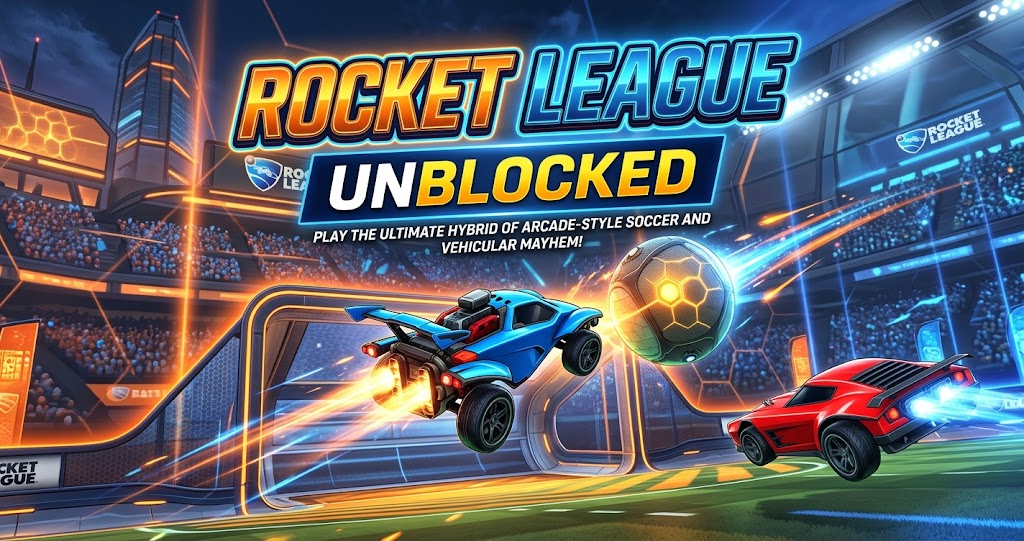
Rocket League combines soccer with rocket-powered cars. Players drive across an arena, hit a giant ball, and attempt to score against their opponents. Its fast movement, aerial tricks, and competitive matches make every game feel different.
The phrase Rocket League unblocked usually refers to browser games inspired by this formula. People often search for them when they want a quick gaming session on a school Chromebook, a shared computer, or a device that cannot install regular PC games.
There is one important distinction, though. The official Rocket League is distributed through supported gaming platforms, including the Epic Games Store. It does not have an official full browser version called Rocket League Unblocked. Therefore, a website using that name may offer a separate game rather than the original release.
How Rocket League Unblocked Browser Games Work

Browser-based car-soccer games generally run inside a web browser instead of requiring a traditional game installation. Depending on the title, you may find simple two-dimensional arenas, basic three-dimensional graphics, or physics-based driving challenges.
This makes browser games convenient for short breaks. You can often start playing after a page loads, although performance and compatibility depend on the specific game and your device.
However, convenience comes with trade-offs. A small browser game may not offer the original Rocket League’s detailed physics, competitive matchmaking, ranked progression, or full multiplayer systems.
Rocket League Browser Gameplay and Controls
Most simple car-soccer games use straightforward controls. A keyboard may handle steering, acceleration, braking, jumping, or boosting, depending on the game. Some browser titles also support controllers or touchscreens.
Before starting a match, check the game’s control instructions. For example, learning how to turn quickly and time a jump can help you reach the ball before your opponent. In addition, practice makes it easier to judge the ball’s movement and position your car for a shot.
Do not assume every browser version uses the same key bindings. Unofficial games can have different control schemes, camera angles, and movement mechanics.
Rocket League Unblocked vs. the Official Game
Choosing between a browser alternative and the full game depends on what you want from your session. The browser option may suit a quick break, while the official release offers a more complete competitive experience.
The following comparison highlights the main differences without assuming that every third-party browser game offers the same features.
| Feature | Browser Alternative | Official Rocket League |
|---|---|---|
| Installation | Often runs in a browser | Requires installation |
| Graphics | Usually simplified | Full 3D environments |
| Gameplay | Varies by website | Physics-based car soccer |
| Competitive ranks | Usually unavailable | Competitive ranking modes |
| Multiplayer | Depends on the game | Supported online modes |
| Account security | Depends on the website | Official account systems |
The biggest difference is consistency. The official game provides a defined experience through supported platforms, whereas browser alternatives vary in quality and available features. Consequently, check the individual game’s description before expecting online matches or familiar mechanics.
Is Rocket League Unblocked Safe to Play?
Safety deserves attention because search results can include unofficial gaming portals, advertising-heavy pages, misleading download buttons, and unrelated games. A page that loads successfully is not automatically trustworthy.
Start by checking the website’s address and the information it provides about the game. If a simple browser game suddenly demands an executable download, an unfamiliar browser extension, or your Epic Games password, leave the page instead.
Also, avoid clicking multiple buttons that imitate a play control. Some websites place advertisements around the actual game, which can make it difficult to identify the correct option.
Protect Your Device and Gaming Account
A browser game should not need your official gaming password simply to let you try a basic car-soccer match. Never enter your Epic Games login details into an unrelated website claiming to host an unofficial version.
Likewise, do not disable browser protections or install unknown files just to access a game. If a website triggers a security warning, take it seriously rather than trying to work around it.
For additional guidance, consult Epic Games’ official Safety and Security Center. It explains account protections and safety tools for players across its gaming services.
Can You Play on a School Chromebook?
Some browser-based games work on Chromebooks because they run within a modern browser. However, compatibility depends on the website, the device’s capabilities, and any restrictions set by the school or organization.
If a school network blocks gaming sites, respect its acceptable-use policy. A restricted website may be unavailable because of network filtering or device management, rather than a problem with the game itself.
For personal gaming, use a device and network where gaming is permitted. That approach avoids unnecessary security risks and keeps school or workplace restrictions intact.
Best Alternatives When Rocket League Is Blocked
If the official game is unavailable, you still have ways to enjoy similar gameplay. The right option depends on whether you prefer quick browser sessions or the complete competitive experience.
Try a Browser-Based Car-Soccer Game
A car-soccer browser game can provide the basic fun of driving, jumping, and hitting a ball into a goal. Some focus on quick matches, while others emphasize solo challenges or practice.
However, these games are independent alternatives, not official Rocket League releases. Review their controls, available modes, and privacy practices before playing. Also, remember that multiplayer may not be available even when a page advertises online gameplay.
Play the Official Rocket League
For the original experience, visit the official Rocket League page on the Epic Games Store. The game is free to play, and its official listing describes competitive matches, car customization, and online multiplayer. You will need to install it on a supported platform rather than launch the full game directly from a browser.
This option makes the most sense if you want ranked competition, familiar car physics, and the established online community. It is also the better choice if you want to develop skills that carry over to the actual game.
Explore Other Arcade Sports Games
If you mainly want quick matches, consider other browser-based sports or driving games. An arcade racing game offers fast movement, while a simple soccer game provides the scoring challenge without vehicle mechanics.
Check whether each title supports your device before committing to it. As a result, you can spend more time playing and less time troubleshooting pages that fail to load.
Tips for a Better Browser Gaming Experience
A stable browser and a responsive device can make a noticeable difference during fast-moving games. Close unnecessary tabs if the game stutters, and ensure your browser is up to date. A reliable internet connection also helps when a title depends on remote servers.
Meanwhile, check the game’s own settings before assuming that poor performance comes from your computer. Reducing graphics quality, if the option exists, may improve responsiveness on older hardware.
Finally, use the controls shown by the game itself. Since unofficial versions differ, a guide written for the original Rocket League may not accurately describe a browser clone’s mechanics.
Conclusion
Rocket League unblocked usually describes browser-based car-soccer alternatives rather than an official browser edition of Rocket League. These alternatives can be convenient for short sessions, but their controls, graphics, safety, and multiplayer features vary.
If you want the full competitive experience, use the official game through a supported platform. Otherwise, choose a reputable browser game, avoid suspicious downloads, and respect any school or workplace network rules. Check the game’s features before playing, and enjoy finding the car-soccer experience that suits you best.
FAQs
Is Rocket League Unblocked the real Rocket League?
Not usually. The phrase generally refers to browser games inspired by Rocket League or third-party pages using its name. The official game is distributed through supported platforms, including the Epic Games Store. Check the developer and platform details before downloading anything or entering account information.
Can I play Rocket League unblocked without downloading anything?
You may find separate car-soccer games that run directly in a browser without a traditional installation. However, the full official Rocket League experience requires installation on a supported platform. Check what a website actually offers, because browser alternatives do not necessarily include the original game’s features.
Does Rocket League Unblocked work on Chromebooks?
Some browser-based car-soccer games can work on Chromebooks if the browser and device support them. Performance varies, however, and school-managed devices may restrict gaming websites. Check the game’s compatibility and follow your school’s network rules instead of attempting to bypass its restrictions.
Is it safe to use Rocket League unblocked websites?
Safety depends on the website. Avoid pages that demand unexpected downloads, browser extensions, or your Epic Games password. Be cautious with misleading advertisements and repeated redirects. When possible, choose established platforms and consult official safety guidance before sharing personal information or installing unfamiliar software.
Where can I play the official Rocket League?
You can find the official game through the Epic Games Store and other supported platforms. Its official listing provides information about gameplay and availability. On PC, follow Epic Games’ installation instructions to download the game through the Epic Games Launcher.
For more updates visit: PUBLIC TALK