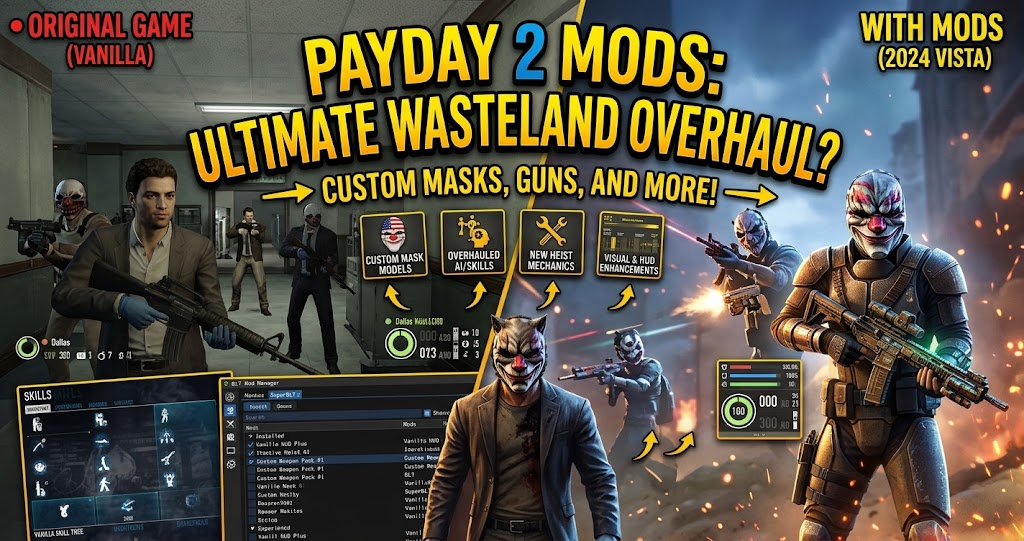
Looking to make your next heist more exciting, improve your interface, or customize your favorite weapons? Payday 2 mods offer plenty of ways to change how the popular cooperative shooter looks and feels. From helpful HUD improvements to custom missions, the modding community provides options for different playstyles.
Whether you are a new player or an experienced criminal mastermind, understanding the available modifications can help you get more from every heist. This guide explores popular mod categories, useful tools, installation methods, and important compatibility considerations.
What Are Payday 2 Mods
PAYDAY 2 is a cooperative first-person shooter where players plan and complete criminal operations. Although the original game offers extensive weapons, skills, characters, and missions, modifications provide additional customization.
Payday 2 mods are community-created additions that change selected parts of the game. Some improve the user interface, while others adjust gameplay, replace visual assets, or introduce custom content.
For example, a HUD modification can display useful information more clearly during intense firefights. Similarly, cosmetic modifications can change weapon appearances, character outfits, and other visual elements.
However, not every modification works independently. Some require additional software or libraries before the game can load them correctly.
Best Payday 2 Mods to Explore

Choosing the right modifications depends on what you want to improve. Some players prefer cleaner interfaces, whereas others enjoy additional missions or performance improvements.
HUD Mods for Better Gameplay
HUD modifications are among the most useful options for players who want more control over their on-screen information. They can change how ammunition, health, team status, objectives, and other gameplay details appear.
For example, PD HUD brings an interface inspired by PAYDAY: The Heist. Meanwhile, Advanced Crosshairs, Hitmarkers, and Hitsounds (ACH) provides additional customization for aiming feedback.
These modifications can make important information easier to recognize during complicated missions. However, check their individual requirements before installation.
Performance Mods for Smoother Heists
Large heists can become demanding when multiple enemies, effects, and environmental elements appear simultaneously. Performance-focused modifications aim to improve specific technical aspects of the experience.
Celer and Map-Based Optimizations are examples of projects associated with performance improvements. Their approaches focus on optimizing aspects of game rendering and individual maps.
However, performance results depend on your hardware, game configuration, and the particular mission. A modification that helps one setup may provide limited benefits on another.
Custom Heists and Additional Content
If you have completed many original missions, custom heists can provide a different experience. Community creators develop additional environments and missions that expand the available content.
BeardLib is particularly important in this area because it supports custom heists and additional content. It also provides tools for adding weapons, masks, suits, and other modifications.
Some custom missions have additional dependencies. Therefore, read the creator’s installation instructions before downloading their files.
Cosmetic Mods for Weapons and Characters
Cosmetic modifications focus on changing the appearance of your character and equipment without necessarily changing the underlying gameplay.
For example, players can explore custom weapon textures, character outfits, masks, gloves, and visual replacements. These additions provide more freedom to personalize a favorite loadout.
Many cosmetic modifications use the mod_overrides folder rather than the standard mods folder. Therefore, understanding the difference between installation methods is important.
Comparing Different Payday 2 Mod Categories
Different modifications serve different purposes. The following table highlights what each category can offer.
| Mod Category | Main Purpose | Example |
|---|---|---|
| HUD Mods | Improve interface information | PD HUD |
| Performance Mods | Optimize technical performance | Celer |
| Custom Content | Add community-created content | BeardLib |
| Cosmetic Mods | Change visual appearances | Weapon textures |
| Gameplay Mods | Adjust selected mechanics | Community gameplay tweaks |
| Audio Mods | Customize sound effects | Custom sound replacements |
The best starting point depends on your priorities. HUD and cosmetic modifications are useful for personalization, while performance tools and custom content can provide more substantial changes.
How to Install Payday 2 Mods on PC
Installing modifications requires some preparation, especially if you have never modified the game before. Most PC modifications rely on a specific installation method, so following the creator’s instructions is essential.
Install SuperBLT First
SuperBLT is a popular mod-loading framework for PAYDAY 2. It allows the game to load many community-created script modifications.
Start by visiting the official SuperBLT website and following its current installation instructions. You generally need to locate your PAYDAY 2 installation directory and place the required loader file there.
Afterward, launch the game so SuperBLT can initialize and download any required components. Confirm that it loads correctly before installing additional modifications.
Add BeardLib When Required
BeardLib is another important component of the modding ecosystem. It provides additional functionality for modifications that introduce custom content, missions, and other resources.
Download a compatible release from its ModWorkshop page. Then extract the appropriate folder into the game’s mods directory.
BeardLib requires SuperBLT. Also, its newer releases have specific game-engine compatibility requirements, so check the version information before installing it.
Place Mods in the Correct Folder
Not every modification belongs in the same directory. Script-based modifications generally go into the mods folder, while many cosmetic replacements use assets/mod_overrides.
Some custom maps use a separate Maps directory. The correct location depends on the modification and its installation documentation.
A common mistake is extracting an entire ZIP archive into the wrong directory. Instead, inspect the downloaded folder structure and make sure the actual mod files are placed where the creator recommends.
Launch the Game and Test Your Mods
Once installation is complete, start PAYDAY 2 and check whether the modification loads correctly. Some mods display their own configuration options, while others work automatically.
If the game crashes or a feature does not appear, temporarily remove the latest addition and test again. This approach makes it easier to identify compatibility problems.
Are Payday 2 Mods Safe to Use
Most established community modifications are designed to customize the game, but downloading files from unknown sources always carries some risk.
Use established modding platforms such as ModWorkshop and review the creator’s instructions, dependencies, update history, and community feedback. Also, avoid suspicious downloads that request unnecessary permissions or contain unrelated executable files.
Compatibility is another important consideration. Older modifications may stop working after game updates, particularly when they depend on outdated scripts or libraries.
Online gameplay requires additional care. Certain modifications can affect balance, achievements, or the experience of other players. Hosts may also have different rules about which modifications they allow.
For that reason, distinguish cosmetic and interface changes from gameplay alterations that provide an unfair advantage. When playing public matches, respect the host’s rules and the expectations of your teammates.
Common Problems With PAYDAY 2 Mod Installation
One frequent problem is placing a modification in the wrong directory. Always check whether its instructions specify mods, mod_overrides, or Maps.
Another issue involves missing dependencies. Some modifications require SuperBLT, BeardLib, or another supporting library. Installing the main modification without its required components can prevent it from working.
Version conflicts can also cause crashes or error messages. Therefore, check whether the modification supports your current game version and whether its dependencies are up to date.
Finally, install modifications gradually instead of adding many files simultaneously. Testing each addition makes troubleshooting considerably easier.
Where to Find the Best Payday 2 Mods
ModWorkshop is one of the main destinations for PAYDAY 2 community modifications. It offers different types of content, including interface changes, custom missions, weapons, and supporting libraries.
The platform also provides descriptions, downloads, dependency information, and update details. These features help players understand what a modification requires before installing it.
You can also explore community-created guides and discussions on Steam. However, remember that older tutorials may describe outdated installation methods.
For technical documentation, the official SuperBLT website and the BeardLib project documentation are useful starting points. Always prioritize instructions that match the current version of the software.
Conclusion
Payday 2 mods provide an excellent way to customize the cooperative shooting experience. Whether you want improved HUD information, smoother performance, additional missions, or new cosmetic options, the community offers plenty of possibilities.
Start with trusted downloads, install SuperBLT when required, and use BeardLib for compatible content that depends on it. Most importantly, check compatibility and follow installation instructions carefully.
FAQs
Are Payday 2 Mods Free?
Many community-created PAYDAY 2 modifications are available as free downloads. Platforms such as ModWorkshop provide access to a wide range of player-created content. However, always review individual download conditions and avoid unofficial payment requests from suspicious sources.
Do I Need SuperBLT to Install Payday 2 Mods?
Not every modification requires SuperBLT, but many script-based mods depend on it. SuperBLT provides the framework needed to load supported modifications. Check the installation instructions for each download because cosmetic replacements and other content can use different installation methods.
Can I Install Payday 2 Mods on Steam?
Yes. You can install supported modifications in the Steam PC version of PAYDAY 2. Locate the game’s installation directory through Steam, then follow the instructions for the particular modification. Always check dependencies and compatibility before adding new files.
Can Payday 2 Mods Cause Game Crashes?
Yes. Outdated files, missing dependencies, incompatible versions, and incorrectly installed modifications can cause crashes. To troubleshoot, remove recently installed modifications and test the game again. Installing additions individually also makes it easier to identify the source of a problem.
Where Can I Download Payday 2 Mods?
ModWorkshop is a popular platform for finding PAYDAY 2 modifications. You can browse community-created HUD changes, custom heists, cosmetics, and supporting tools. Before downloading anything, review its description, compatibility information, dependencies, and installation instructions.
For more updates visit: PUBLIC TALK